A new icon. A 6 drawn in one gold line around you, a glowing core, ending in a degree ring, with your tier rings fading behind it. It's the app's icon, the favicon and the website's.
The website is a proper site now, and the README matches. The home page tells one story, feature by feature, each with a real screenshot of the invented sample network: see your network, find your way in, know your network, watch it grow, and scan carefully, then privacy, a fair comparison with LinkedIn's own search, spreadsheets and CRMs, and SocNetV and Gephi, and a strip of true, checkable numbers. It has one download button, for your computer: the Mac download on a Mac, and on Linux and Windows a dimmed Coming soon button, never a link, with npx six-degrees offered on Linux. New pages: /download/ (every platform, install steps, checksums, requirements, troubleshooting), /docs/ (getting started, your data, privacy, questions), /releases/ (every version in this changelog), /blog/ with four posts on how it works, /roadmap/ and /about/, with Atom feeds for the blog and releases and every page in the sitemap. scripts/build-site.mjs builds it all from site/, and the website's deploy runs it, so the news and numbers never go stale (site/README.md says how to add a post or a page). The README has badges, a download table for all three platforms, features, latest news and why Six Degrees.
Fixed
Paths opens about 9× faster on a large network (Map 19.8 s → 2.2 s, Industries 25.8 s → 1.7 s, at 1,500 connections and 25,000 people in their circles). Each headline and company name is now read once, not once per pass: Paths read everyone's headline five or more times, and each read tries the whole company list. The same fix makes Scores open in under a second (was 11 s), and setting a company's score rescores everyone in a third of a second (was 6 s). Scores themselves are unchanged.
Opening a company's path to the top in Paths no longer hangs. Every row compared itself with everyone at the company each time the page drew: at a company of 1,900 people that took minutes. It now opens in a fifth of a second, and a row works out what adding them would do only when you open it.
Hide the Chrome window while scanning (Scan page). Scans run with no window popping up; the status bar and Stop work as before, and signing in always opens the window. The Scan page says the risks: a hidden Chrome is easier for LinkedIn to tell from a person, and a check LinkedIn asks for (a code, a puzzle, signing in again) can't be seen, so the scan stops instead of waiting. Off by default.
The window's frame matches the app. The title bar, menus and dialogs are dark by default, even when your Mac is set to Light, so the frame no longer shows as a pale bar above the dark app.
Physics lab for the Galaxy (experimental, in Filters). Sliders for the forces that lay the Galaxy out, in the spirit of Obsidian's graph: Gravity (a pull in towards you), Rings (how hard each tier holds its ring; at 0 the Galaxy finds its own shape), Push, Pull (how hard each person pulls the people who came through them) and Distance, plus dot size, line thickness, names, and dots sized by power score or by how many hang off them. Clusters sets it up so each connection bunches their circle round them. Hovering a dot lights up its branch, everyone behind it and the chain back to you. Replay plays your network growing by the date you connected, with a time slider; each circle arrives with its connection. Everything moves the Galaxy in place, and Reset puts today's layout back. The replay needs "connected on" dates, so the sample network has nothing to replay.
More in the physics lab.Colour by tier, degree, company (the eight most common) or warmth (from the Social tab), with a legend to match. Find lights up everyone whose name, company or role matches and dims the rest; Enter flies to the best one and opens their card. The replay has a length (5 s to 1 min), Loop, your job starts and posts from the Social tab marked on its timeline, and the job you were at in its date. Saved layouts keep slider settings under a name. Save a picture makes a PNG of the Galaxy at twice the size, and Record the replay saves it as a video.
Social (experimental): a tab for your relationships. It works from your own LinkedIn data:
Your export: the folder LinkedIn emails you from Settings → Data privacy → Get a copy of your data, read in the app window with no traffic to LinkedIn.
A live messages sync: reads your messages list once in your own Chrome, by hand or once a day in the daytime, using no search budget.
It shows:
how many of your connections are warm, cool, dormant or never messaged;
who's waiting on a reply (S and A tier first), or has unread messages;
your career chapters, with the connections made in each and how many you're still in touch with;
whether posting works (new connections the week after a post against a usual week);
how many connection requests came to you and how many you sent.
Only dates, who wrote last and counts are kept, one file per profile in the data folder, and Forget it removes it. Message text is never kept. Email addresses are kept only if you tick the box. The live sync hasn't been tried on a live account yet.
Auto scan. With the Scan page's experimental all-day box ticked, an Auto scan button sits beside Scan and starts the all-day Auto-Bridge with your Scan page choices. The status bar sits under the tabs, dimmed while it's ready, and lights up once it runs.
Insights on a connection's card. A collapsible panel with their circle's size (Explore → opens it in Bridge Chains), how many only they reach, whose circle overlaps theirs most (Open →), the tier mix of their circle, where most of it works, how much is scanned (Scan → or Finish →), when you connected and how many requests you have out through them, and their rank by who only they reach. Show them → opens Separation filtered to the people only they reach, and S only → to the S-tier people in their circle. All from what the app already keeps. It replaces the Only through … box.
Network health on the Scores tab. How much of your 2nd degree you reach two or more ways, the effective reach of your own network (Burt's effective size, from the ties between your connections that circle scans keep), and your five connections who reach the most people no one else does, each with Explore →. With fewer than five circles scanned it says it's an early estimate. Only your own numbers: never a percentile against other people.
Experimental Auto-Bridge (a switch on the Scan page). All-day pacing that stays openly slow: up to 10 pages in a sitting, then a 45-minute rest; searches only from 09:00 to 19:00 on this computer's clock; at the daily budget it waits for it to free up instead of stopping; and every page is saved as it's read. It also reads the data LinkedIn already sends for each page of results (no extra requests) beside the page text. That fills in headlines, photos and mutual counts the page text missed, and gives each list's real length for the scan bars. Each page logs how the two compare, and a few raw responses are kept in the data folder (wire-samples/) to tune it. People only LinkedIn's data shows are logged, not added. The timing is never randomised to look like a person. Not yet tried on a live account.
A status bar while a scan runs, on every page. It shows what's running and for whom, how far it's got, today's LinkedIn searches against your daily budget (green, then amber past 60%, red past 90%), what the scanner is doing right now (for example the wait before the next profile), a link to the Scan page and Stop. Stop saves what was read, and Resume carries on from the same page. It sits just under the header's tabs, on every page, the Scan page too.
Changed
Network Circle's tiers switch on and off. In the Filter panel, click a tier to hide it or show it again, so C and D can go while S, A and B stay. All shows everyone. Degrees still picks one bridge tier at a time.
Orbit: the circles behind added people sit behind their bridge. They're centred on the bridge's slice, side by side, with a line back to whoever they came through, wherever that person sits. Before, each was centred on that person and could spill into the next bridge's space.
Orbit goes past 2nd degree. Someone you added through a circle, whose own circle is scanned, now sits in the fan of the circle they came from, green-ringed, and their people fan out behind them a band further out, fainter, with a faint line to each. Their added people's circles go further out again, to 6th degree. Before, they sat on the ring as one more bridge, and Orbit showed only 2nd degree.
A ring round each connection's dot. Five thin bars show how much of their circle is scanned: all five once their list is read to the end, and part-way the pages read against LinkedIn's own count of the list, which scans now keep (no extra traffic). Lists read before scans kept a count show two. A small badge counts the people in their circle ready to scan, and a catalyst is the green outline on the dot. It's on the Galaxy and on Bridge Chains' bridges.
Changed
The Galaxy in bands when more than your connections are drawn. With 2nd (or 3rd) degree on, your connections sit on a tighter inner ring, their circles in a band outside it, and past someone you added through a circle, their people further out again. Each band is sorted by tier, S nearest, and has a faint label. Lines follow the chain: from you to your connections, from each connection to their circle, and from someone you added to theirs. Your connections alone keep the roomier tier rings.
Removed
The "N only here" line under each bridge in Bridge Chains. Their card still says who is reached only through them.
Which connections open the same doors. A card says whose circle overlaps theirs most, when it's real (15% or more, and at least 3 people): "Opens the same doors as Tom: 62% of the people either reaches, both do". Bridge Chains' Degrees box adds how much of your 2nd degree you reach two or more ways.
Circle scans keep who among your connections knows whom. Your own connections turn up in other people's lists, and were set aside there and forgotten. Each is now kept as a tie between the two, in a new table, with no extra LinkedIn traffic, since the scan read them anyway. Nothing shows them yet: they're what clusters and communities will be built from. Deleting someone deletes their ties too.
Who only one connection reaches. In Bridge Chains, each connection with a scanned circle shows how many of its people none of your other connections reach ("746 only here"), and their card says it in a line: those people are reached through them alone. It's their exclusive reach, counted across every circle you've scanned (lib/brokerage.js).
Network Circle's Filter picks degrees.1st, 2nd and 3rd chips choose who the Galaxy draws: your connections, anyone in a scanned circle, and anyone only a company scan found. Any mix works, and 2nd without 1st shows who's valuable outside your own connections. Each person counts once, at the nearest degree. Further out is drawn a little smaller and fainter, gathered near the connection whose circle they're in, and the tier counts follow what's drawn. It opens on your connections alone, as before.
Changed
The Galaxy marks its tier bands. A faint dashed ring, labelled S to D, sits where each tier's dots settle, so the bands read at a glance, most of all with a filter on. Not on a phone, whose layout has no rings.
Degrees opens on Bridge Chains, then Separation, then Orbit, in the menu too. Orbit used to come first.
Orbit is in Degrees only. Network Circle's Orbit was slow on a big network and showed nothing the Galaxy doesn't; a Network Circle left on it opens the Galaxy.
A new app icon: Orbits. Your tier rings round you, with one bridge reaching out through them. It's the Mac app's icon, the website's tab icon and its home-screen icon.
The Scan page asks before a risky search budget. Picking more than 100 searches a day, or no monthly cap, now asks first, because a real account was restricted after 373 searches in 24 hours, run back to back (it had opened only 7 profiles that day). While the budget stays that high, a note under it says so, with a button back to 50 a day and 250 a month. Lowering a budget, or anything up to 100 a day, is never asked about.
Fixed
A card's circle map never draws a degree as a solid line. A big circle, or the people behind someone you added packed into their slice, used to run together into one line or band. When a slice holds more than fit, its dots now take a few rows, neighbours alternating between them, each still behind whoever they hang off, and the dots are sized for the most crowded slice.
Bridge Chains: a hover preview no longer draws over the bridges. With many bridges the overview grows extra rings, and a bridge's circle, previewed on hover, landed on top of them. It now starts beyond the outermost ring of bridges.
Stop during a re-map's wait keeps the circle. Re-mapping someone deleted their circle first and then waited out the minute between profile views, so a Stop in that minute left it deleted and unread. It now waits first and deletes only once the read can start.
A profile-view cap typed into scan-limits.json by hand stays within the choices. It counts as the largest offered choice under it (10, 25, 50 or 100), in the scanner and on the Scan page alike; before, 1,000 was honoured and the picker showed a different number.
The Filter menu highlights the view that's showing. After View Bridge → from the Galaxy, Orbit showed but no view was highlighted.
No Scan Full Company on the sample or a CSV import. Paths offered it there, and it searched LinkedIn for a network that isn't saved. A line says scanning needs your own network.
A cap on profile views. A circle scan opens the person's profile once, and profile views are what LinkedIn restricted an account for. They now have a cap of their own: 50 in any 24 hours by default. The Scan page offers 10, 25, 50 or 100, and there is no "no limit".
A minute apart: at least 60 seconds pass between any two profile opens. It's timed from the last one written down, so scans started back to back can't open profiles back to back. The log counts down while it waits, and Stop ends the wait.
Checked before the profile opens: at the cap, a scan opens nothing and records nothing about that person. Auto-Bridge stops, as it does at the search budget, and the next run starts with the same person.
On the Scan page: "3 of 50 profile views today", with a bar and the picker.
Re-mapping someone checks it before deleting their circle. A damaged record counts the day's views as used. An import brings the other computer's setting only when this one has none, like the search budget.
The Scan page asks what field you're in, before your first scan. One optional step, with the same picks as Scores → Your sector: tech, government and defense, dental, and the rest. Companies in your field count for more, so your first scores already use it. Skip for now carries on without one. Both stay at the bottom of the window while you look through the list. It's asked once, and never if you already have a network or picked a sector. Change it anytime on the Scores tab.
Bridge Chains opens any circle, as far as your scans reach. Click someone in a bridge's circle and their own circle opens in place: the people found in it once you connected and scanned it (3rd degree, counted along the chain), and on from there. A trail at the top, and Esc, go back. An empty circle says why and what gets it: connect, then scan their circle. While one is being scanned, it fills in as the scan saves. Someone ready for a scan goes to the Scan page with them picked instead, since their circle is empty until then.
A soft glow on people ready for a scan. In Bridge Chains, someone you added through a circle whose own circle isn't scanned yet has a soft breathing halo, and their bridge says how many are "ready". A hidden list is greyed with a lock instead. The halo stays still with Reduce Motion on. The old rainbow glow is gone: it looked for them inside the circle they came from, which accepting takes them out of, so it never showed.
Ready to scan (N), in the Degrees panel. It replaces Auto-Bridge Next, which started a scan in one click, by name, with no cost shown, and offered hidden lists again and again. The list is everyone you added through a circle whose circle can be scanned, strongest first, with the circle you found them in and what a scan costs. Hidden lists stay in view, greyed with a lock.
Scan one circle, on the Scan page. A ready person, from the list or Bridge Chains, opens the Scan page with them picked: the cost (a profile view, then a search a page, up to 100), what's left of the day's budget, how deep to read, and a button. Nothing starts until it's pressed.
A release checks the website's version lines. Before building anything, the release workflow runs scripts/check-site-version.mjs: the site's softwareVersion and llms.txt must name the version, and its dateModified and sitemap lastmod can't be older than the release's date in the changelog. A stale site stops the release with a line for each thing to change. A pre-release skips it. Anyone can run it before tagging.
Changed
A big circle spreads out. A bridge's circle used to sit on one ring, so a few hundred people were almost a solid line. It now fills rings from the inside out, as many as it needs, with the highest tiers nearest the middle; drag to move, scroll or +/− to zoom. Lots of bridges spread the same way, and so does the preview on hover.
The map picks up a finished scan by itself. No refresh needed.
One rule for "ready". Bridge Chains, the Degrees panel, Outlink's new doors and the profile page's mapping bar now agree on who can be scanned next, and all leave hidden lists out.
Photos stay on your Mac. The app shows a profile photo only from the copy saved on your computer, so looking at your network never contacts LinkedIn. It used to load a photo from LinkedIn until a scan had saved it, and a rescan could put LinkedIn's link back in place of a saved photo. Every page now also tells the browser to load pictures from the app alone, and the scanner fetches photos from LinkedIn's image servers only.
Photos an older version kept as links are saved once. Until then those people show initials. The next scan saves them at its end, or Save photos on the Scan page does it now, without opening a browser. A link more than a few weeks old has expired: that person's photo comes back when they're next scanned. Offline, or with LinkedIn's image server busy, nothing is forgotten, and Save photos stops and says why.
Government and military titles are read. A senator, a governor, a mayor and a cabinet secretary score like a C-suite; their deputies, state legislators, commissioners, ambassadors and judges like a VP; a city councilmember or a sheriff like a director. Officers by rank: a 3–4 star general or admiral 10, a 1–2 star 9, a colonel 7.5, a lieutenant colonel 6.5, a major 5, and a commander by their unit. "(Ret.)" and "Retired" make a role former. They count only where a title is written, and only where their own organization is a government's or a service's: a staffer in an Office of the Secretary, a veteran's civilian job, a city manager at Uber, a Rotary district governor, a team captain or a Kentucky colonel isn't one. A title that doesn't say whose it is ("Mayor", "Police Chief", "Ambassador") needs its government named, or stays "Title unclear": a missed official is a neutral 4, a realtor read as a mayor would be an A. Until now all of them were "Title unclear" (a U.S. senator scored 2.9, C).
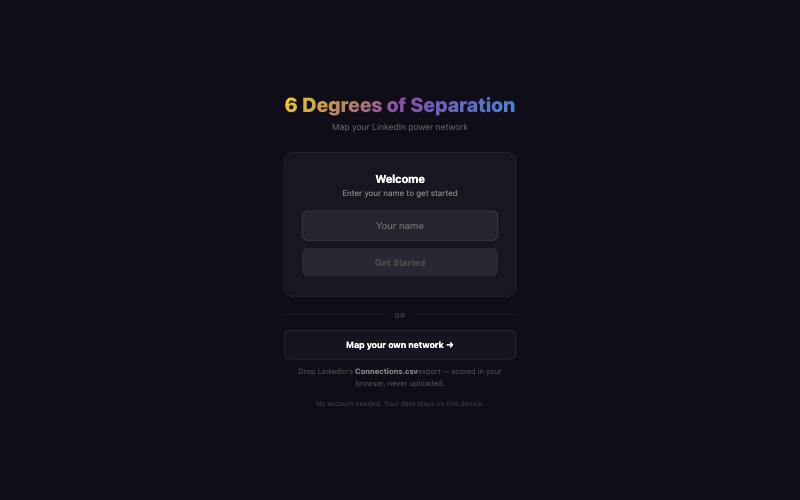
One name: Six Degrees. The header, the welcome screen, the loading and launch pages, the side panel and the Terminal installer said "6 Degrees". They now say Six Degrees, as the window title and the app in Applications already did.
Contributor docs and .gitignore. CONTRIBUTING says npm releases go out through trusted publishing, with no token to set, and that npm run build:desktop builds the app releases ship (build:app is the old launcher). .gitignore keeps a LinkedIn export, a database, a saved copy of a network and the scanner's signed-in browser profile out of a commit, wherever they sit in the tree. A local build keeps them out of the app too, and its list of uncommitted files inside the app now names ignored ones as well.
0.4.0-beta.1, promoted: this is now the Mac app and npm package everyone gets. It adds:
Their circle, on every card, with rarity beside the tier and LinkedIn's own mutual count.
One scan at a time, and Resume beside Rescan.
Tiers on your own network's curve, with unknown companies at a neutral 5.
631 public organizations the built-in list leaves off, and scoring 6.
Scores, a tab of its own.
The details are under 0.4.0-beta.1 below.
The download page says what's new in 0.4.0.
Degrees' corner toggle says Orbit, which is what it shows. It said "Galaxy", but the Galaxy is a Network Circle view, so Degrees fell back to Orbit. It switches between Orbit and Bridge Chains, and it's on whenever Orbit is showing.
Removed
About 630 lines of Galaxy code that never ran: a Degrees drawing from before Orbit and Bridge Chains. Nothing could open it. The Galaxy draws Network Circle only.
Fixed
A one-person scan notes a hidden list. A card's Scan or Rescan that found someone's list hidden said so and noted nothing, so they stayed "not scanned yet" and were offered again forever. Only a batch noted it. Now every read from page 1 does.
A scan reads the list of the person you picked. A card's Scan and Rescan went by name, so with two connections of the same name the scanner could read the other one's list. Every Scan button now goes by that person's profile, as Resume already did.
A company's name after "at" is no longer read as a title. "Server at President Hotel" scored as a C-suite (7.3, A), and so did an IT specialist in an "Office of the Chief Information Officer". "Executive Assistant to the General Manager" scored as a VP.
↻ asks before it scans. The round button in the header started Check for new the moment it was clicked. It now says what it will do (open Chrome on your connections list and read it until it reaches people already saved) and what it costs (no search budget, but it is LinkedIn traffic from your account), and waits for OK.
No Scan buttons on the sample or a CSV import. Every card there offered a scan of that person's circle, and Degrees offered Auto-Bridge Next, but both networks live only in the window, so the scan could only fail ("Bridge '…' not found in database"). In their place a line says scanning needs your own network.
A CSV import's dates are the day LinkedIn says. Anywhere east of London, each "Connected On" date landed a day early (28 Sep 2026 became 27 Sep). The import now reads it as the calendar date it is, the way a scan already did, and a date it can't read is left blank rather than guessed.
Opening a panel no longer rebuilds the Galaxy. Opening or closing the side panel or the Filter panel used to draw the Galaxy again from scratch: the layout started over, the selection ring vanished, and a big network stalled the page. Now the view slides over at the same zoom, so what was in the middle stays in the middle.
The selection ring stays on the person you picked. It is tied to their dot, and it comes back after a tier filter that still shows them. It used to follow the first dot it found near its old spot, which could be someone else, even You. Back to list clears it.
The selection ring pulses gently, as it was always meant to. Its animation had only ever been written in code that never ran. With Reduce Motion on, it holds still.
Hovering a dot eases it up to 1.5 times its size, instead of jumping. With Reduce Motion on, it still changes at once.
The Galaxy draws faster on a big network. Colouring its lines searched every person for every line: about 1.4 s at 30,000 people, on every draw. It now takes under a millisecond.
The main screen no longer stalls when nothing is selected on a big network. The side panel's Power Rankings counted every tier again for each person in the list, even with the panel closed. At 30,000 people that took about 20 s each time the screen redrew, opening the Filter panel included.
On a laptop, the Galaxy keeps its usual layout with a panel open. Its fixed phone layout used to switch on whenever the graph was under 768 pixels wide, which a tier filter picked with a panel open could do. It now follows the window, as the page does.
Their circle, on every card. Open one of your connections and the top of their card is a small map of their circle. Their scanned connections sit round them (D2). Anyone you connected with from it gets a green ring, and their own circle fans out behind them (D3), on out to D6. A request you've sent and they haven't accepted is a dotted dot. Tap the map for the large one, where any dot opens that person. It's built from what the app already keeps (whose circle someone was found in, and who introduced you), so it needs no extra scanning. Not scanned yet? It says so, and points at the scan below.
Rarity, beside the tier. How many mutual connections lead to someone, in five bands: Only way in (1), Rare (2–3), Uncommon (4–10), Common (11–30) and Warm (31+). It's a distinction, never a score: tiers and power are untouched. Rarity and the tier filter together, in the circle and in Separation, so "S" and "Only way in" is exactly the rare finds, and "S" and "Warm" the easy wins. Until a scan saves LinkedIn's own count, it's counted from the circles you've scanned, which can only go up as you scan more, and everywhere it shows says so.
Resume beside Rescan on a profile card. When someone's list was only partly read (a page limit, a stop, LinkedIn pushing back), their card offers Resume from page N next to Rescan from the start: the same carry-on as the Scan page's Paused list, for that one person. LinkedIn lists other people's connections in its own order, with no dates, so anyone new can be on any page: Rescan reads the whole list again from page 1, and Resume picks up where the last read stopped. A list read to the end says so instead.
LinkedIn's own mutual count, from circle scans. Everyone a circle scan finds now carries LinkedIn's count of the mutual connections you share with them, read from the line under their result card ("Maya Chen and 23 other mutual connections" is 24).
No extra page views: the line was already on the pages the scanner reads.
One count per person: every copy of the person, one per bridge that knows them, keeps the newest count read. A scan that doesn't see the line leaves the count alone.
Used by rarity in place of the count from your scans, which could only be a floor.
Not yet tried against live LinkedIn, and it reads English wording only. The first real circle scan is the check. Any other wording reads as no count, never a wrong one.
A public company dataset: 631 organizations the built-in list leaves off, scored 6 to 8 from public facts on one published scale, each with its source beside it (an exchange listing, a reported valuation, a U.S. News rank, a federal department's size).
The Fortune 500 (2025): 376 companies, and the brands their staff write as their employer (KeyBank, Alaska Airlines, VMware, The Wall Street Journal…).
The U.S. federal government: 114 entries. The departments and military branches are 8; agencies and national labs 7. Each is matched only by forms that say which one it is: "US Army", never "Army" alone.
Universities ranked 21–100 by U.S. News: 77 of them.
64 more, researched one by one, among them Anduril, CoreWeave, MLB, WWE, UF and UCF.
Someone there is scored from those facts, not as an unknown company, and the Scores tab labels the score public data. The list is built from public sources only, never from anyone's scan, and grows each release. The built-in list itself is unchanged: household names only, 7 and up.
A card says when a score is a guess, and what would firm it up. When someone's headline gives the app no title to read, or no company it knows, the top of their card says so ("Their score is a guess. The app couldn't find where they work.") and offers Scan their circle, which brings the scan button into view. Who you can reach through them is what the score can read instead, and a strong circle adds up to +2.
Fixed
A request you send shows everywhere, at once.
Before:Connect to Unlock Path marked one bridge's copy of the person and told nothing else on the page.
The card kept offering the link.
Separation, Orbit and the circle never showed it, even after a reload.
Every click awarded XP again.
Undo took back only half of it.
Now: a request belongs to the person, in one list every view reads, so the card, Separation, Orbit, the new circle, the Outlink queue and the Pending badge all change the moment you click.
The details:
The bridge whose circle you found them in is kept, so once they accept, their card and circle say who introduced you.
XP comes once per person.
Didn't send it? Undo on the card takes all of it back, the XP too.
One scan at a time, and every Scan button knows it. A scan started on one profile card left the Scan button on every other card clickable, and Auto-Bridge Next, the ↻ refresh and Paths' company scan too. Pressing one was refused, and the card then said "Scan failed — connections may be private" about a scan that had never started. Now they all grey out while anything runs and say what does ("Ada Park's circle is being scanned. One scan at a time…"), even a scan started on the Scan page or in another window. Close a card mid-scan and open it again and its progress is still there; when it ends, the card says so. The page asks the scanner once for all of them (/api/scraper?job=1, which reads only memory), not once per button.
Company names written in styled letters or with a logo are read. "𝗠𝗶𝗰𝗿𝗼𝘀𝗼𝗳𝘁", "Apple " (with Apple's logo) and "Snapchat|ex-L'Oréal" (a full-width bar) used to read as unknown companies. So did "Meta Superintelligence Labs" and "Snapchat MENA Region", and a class year ("UCF ’26") hid the school.
"President's Club" is a sales award, not a president. A title's possessive read as the title, so "Account Executive at Oracle | 3x President's Club" scored 7.3 (A) as a C-suite, and so did "Chairman's Award" and "Chief of Staff, CEO's Office". It's the title's own: 3.6 (C), and a chief of staff is a director again (5.4, B).
Changed
Tiers are graded on your own network's curve (new: Scores → Tiers, and the default). Your top 3% of connections are S, the next 12% A, the next 25% B and the next 30% C, so the first scan of any network has a top, not only a network full of companies the app knows. The curve only lifts: nobody drops a tier because their network is strong, and nobody under 4 is lifted into S or A. People tied at a line all come in or all stay out. Choose On the fixed scale for the lines as they were (S ≥ 7.5, A ≥ 5.5, B ≥ 4, C ≥ 2.5). A LinkedIn CSV import opened in the app is always graded on its own curve.
A company the app doesn't know is neutral. It counts as 5, the middle of the scale (it was 4, and 3 when no company was found), so the people the built-in list doesn't know aren't pushed down a tier for it. A founder at an unknown company scores 7.3 (was 6.7), a director 5.4 (was 5.0). Claims in their headlines still count half. Your network is rescored once, the first time the map loads after updating.
The power score reads more of who someone is. A review of the score found kinds of people it ranked too low:
A title's company written without "at" counts: "Global Category President | The Coca-Cola Company" scores 9.5 (S), not 7.3 (A), and so does "Corporate VP, Samsung". Only a company the app knows, and not after a founder's, an owner's or a CEO's title, not a program or a degree ("AWS Community Builder", "Harvard MBA"), and not a school after a title that isn't an academic's.
"MD @ J.P. Morgan", "MD, Investment Banking", "Head of Country" and "Country Head" are senior, like a managing director; "MD, MBA" and "Physician, MD" aren't.
Universities have their own ladder: an assistant professor 5, an associate professor 6.5, a professor 7.5 (was 4, an entry-level job), a dean 9, a provost or a chancellor 10.
An audience of their own counts like a title: 100K+ followers like a manager's, 1M+ a director's, 10M+ a VP's. A creator with 2.5M followers scores 5.8 (A), not 3.3 (C).
A title the app can't read counts as an individual contributor's (4, was 3), so a founder whose headline names no title or company isn't put below every job.
A strong circle counts by how many strong people are in it, not only by their share: +1 for every 25 at A or S, up to +2 (was up to +1). A vague title at a big company with 72 of them in a circle of 600 scores 5.6 (A), not 3.6 (C).
Your network is rescored once, the first time the map loads after updating. The sample network's tiers don't change.
Scores has a tab of its own. How a power score is worked out and the three things you can change about it are in one place: your field (Your sector), how tiers are graded (Tiers) and every company's score. Company scores used to be a tab inside Paths, and the other two were in Settings. Old links (Paths → Scores, Settings → Your sector, Settings → Tiers) forward there, and Settings says where they went.
Separation's map is "who to ask next". It skips anyone you've already asked or already know. Send requests to its ten and the next ten come up. The list below still shows everyone, marked Request sent or Connected, with their rarity.
Removed
The Revolver view. Degrees keeps Separation, Orbit, Bridge Chains, Pyramid and List.
The Mac app scans with nothing to install. It carries its own Python (3.12) with the scanner's packages already inside it, so the Scan page's first step is ticked from the start: nothing to install, nothing to click, and setting up needs no internet. Scanning still needs Google Chrome. The download grows by about 22 MB, to about 220 MB. Playwright's own copy of Node isn't duplicated: it runs on the one the app already has. The Python inside is signed like the rest of the app, uses only its own packages (your own Python settings, such as PYTHONPATH, don't reach it), and never writes into the app; nor does a scan on another Python. If macOS ever won't run it, the Scan page says so and offers the other way to set the scanner up, and the app doesn't try it again until you restart it, so a warning from macOS about it doesn't keep coming back.
Set up the scanner (npx six-degrees, or from source). On a computer with no Python the scanner can use (none at all, one older than 3.10, or Ubuntu's without python3-venv), the Scan page no longer ends at "install it from python.org". One button downloads a private copy of Python 3.12 from GitHub (python-build-standalone, 24 to 33 MB) into your data folder, checks it against a checksum built into Six Degrees before unpacking anything, and installs the scanner's packages into it, with the download's progress on the page. Only when you click it, and Stop stops it. Nothing outside your data folder changes, and neither the Python nor the packages ever go into a copy of your network. A stopped setup carries on from the Python already downloaded. With Python 3.10 to 3.14 installed, Install works as before.
Settings. A new page, from the ⚙ button beside the bell or Six Degrees → Settings… (⌘,). It's the new home for Updates, and it shows which version this is and where your network is kept. What you choose there is saved with your network, so it travels with your data. Check for Updates… in the menu opens it and runs the check; the Scan page links to it.
Your sector (Settings). Pick up to three sectors you work in and how much to lean toward them. A pick is one of twelve broad industries or one of 49 narrower sectors from a built-in directory (Dental, Real Estate, Software & SaaS, Insurance, K-12 Education, Beauty & Personal Care, Agriculture & Farming, Veterinary & Animal Care, Social Work & Human Services, Security Services…): open an industry to see its sectors, search by a job, a kind of business or a company ("dentist", "bakery", "Stripe"), or take a sector suggested from your own network ("Dental: 42 people at 17 companies"). An industry includes its sectors: it counts any company in one of its sectors, so Healthcare & Biotech takes in a practice only the directory calls dental, and a company whose one industry the built-in list or the company's own name gives. Not one known only from its people's job titles: "Recruiter at Acme Widgets" doesn't make Acme a consulting firm, nor "Software Engineer at Pinecrest Foods" a tech company (Paths still colours them by what their people say). A directory sector goes by a fixed list of words, as whole words, in the company's name or in the headlines of at least half of the people you know there; for a one-person company, that person decides. Ten sectors are work every kind of company has (HR & Recruiting, Marketing & Advertising, PR & Communications, Accounting & Tax, Legal, Management Consulting, Software & SaaS, AI & Data, Cybersecurity, Security Services): for those a job title in a headline doesn't count, so "Recruiter at Acme Widgets" doesn't make Acme a recruiting firm and "Software Engineer at Chase" doesn't make a bank a software company; the company's name ("Acme Staffing", "Smith CPA") or a kind of firm ("staffing agency", "law firm", "SaaS") does. Nor do the industry words beside such a job ("University Recruiter", "Insurance Defense Attorney", "Dental Marketing Manager"). The lists name only companies known across the country, and schools by their names, not their short names (UCF, NYU): a regional company or a school is placed by the words in its name and its people's headlines, like everything else. There's no AI and nothing is sent anywhere: the same words give the same answer on every computer, and anyone can add to the list. Companies in your sectors get +1 ("lean") or +2 ("strong") on their score, once however many of your picks they're in, never above 10 and never on a score you set on Paths → Scores, so the people there rank higher; the working names the sector ("4 + 1 your sector: Dental"). It lifts companies, not what people claim: a reach bonus at an unknown company stays halved. Before you save, it shows how many companies and people would move, with examples; saving rescores everyone and reports the same count, and turning it off gives back exactly the scores from before. When an update changes the directory's words, scores that use it are redone on the next load. It applies to networks you've scanned: a CSV import and the sample network aren't re-weighted or counted in the suggestions, and the page says so when one is open. Tiers still rank how reachable someone is, not people. The profile's Your Sectors now shows what you picked (it was always empty), and Paths → Scores marks the companies your sector lifted. /paths?tab=scores opens Paths on its Scores tab.
Settings → Your data. Where your network is kept, with Copy the path and Show in Finder; what it takes up (your network, profile photos, backups); every backup with its date and why it was made; and whether a LinkedIn sign-in is kept here. The folder can't be moved from the app, and the page says why.
Move your network to another computer.Save a copy of my network makes one .sixdegrees file: your network, your settings, the scanner's progress, skip lists and LinkedIn budget, and the profile photos of the people in it unless you untick them. Your LinkedIn sign-in is never in it; you sign in again on the new computer. There, Import checks the file first and changes nothing if it isn't whole and undamaged, from this version or an older one. It replaces the network there (the two are never merged, and a network that has people asks you to confirm how many it replaces) the next time Six Degrees starts, after keeping a copy of what was there in backups/; the README says how to put it back. The LinkedIn search budget belongs to the account, so that computer keeps its own: searches made on either computer still count, and a pause on scanning stays. The Mac app finishes with Restart now; with npx six-degrees, stop it and start it again. Refused while a scan, or setting up the scanner, runs (it says which), scans wait until the import is finished, and the import waits while another copy of Six Degrees has the same folder open.
Install and restart, in the Mac app: updating without Terminal. When Check for Updates… finds a newer version, one more click installs it. The app downloads that release from GitHub (about 220 MB), checks it against the release's published checksums and checks that the app's code signature is intact, and gets it ready while you keep working. Then it closes, puts the new version in its place and opens it on Settings, which says how it went ("Updated to 0.2.2"). Your network isn't touched, and the new version backs it up before it opens it.
Nothing is downloaded until you click Install, and it never happens by itself. It installs the version the check showed you; if a newer one came out in between, it asks you to check again.
If the new version can't be put in place, won't open, or closes before its first page appears, your previous version is put back and reopened, and Settings says why. Once the new version has started, the previous one is kept, zipped, in ~/Library/Caches/Six Degrees until the next update: the way back if the new one misbehaves later.
While it swaps the app, it stops only the app's own programs. A Terminal or an editor open in the app's folder is left alone.
When the app can't replace itself (it's running from the disk image, from a folder your user can't change, another user installed it or has it open, or your network is kept inside the app), it says why and what to do. Where the Terminal line helps, it gives you the line and says what it will do; where the line would delete your network, it doesn't offer it. The npm and source copies keep their Terminal lines.
Copies of 0.2.1 and older don't have the button: update them with the Terminal line once more.
Changed
The Scan page's first step is now Set up the scanner. When it can't use this computer's Python, it says which one it found and why. Install no longer updates pip first: everything it downloads is a pinned file. It leaves out pip settings that would put the packages somewhere else (PIP_TARGET, PIP_PREFIX, PIP_ROOT, PIP_USER; your index, proxy and certificate settings still apply), and it checks that the scanner can load them before it says it has finished.
The scanner's Python packages are pinned: exact versions (Playwright 1.63.0, requests 2.34.2, Pillow 12.3.0 and everything they need) and the checksum of every file pip may install. Only ready-built files (wheels), so nothing is built from source on your computer, and pip refuses any file that isn't the one pinned. They need Python 3.10 to 3.14 (the newest Playwright needs 3.10, and 3.14 is the newest the pinned files are built for); a Python that already has the scanner's packages keeps working as it is.
The Queue and the person panel go by company scores, not a list of names. Both kept their own list of one person's favourite companies (Snap, Polymarket, Whatnot…), matched anywhere in a headline: "Metadata Analyst" counted as Meta, "Snapdragon" as Snap, and an ex-Googler as someone at Google. Now the Queue adds its +1 when the company someone's score is built on scores 8 or more, once, and the panel's "top-tier company" and "former" notes name a company that scores 8 or more, with its score: the one the score was built on, when someone has two roles alike. That's the curated list's major companies and up, or any company you score that high on Paths → Scores or lift there with Your sector.
Built-in company scores are the same for everyone. The built-in list of well-known companies, which every network's scores start from, held some personal and regional picks: Snap at 9 as "home turf", UCF at 5 as a "local institution", and a group of 6s from one network and one region. One written rule now decides who is on it: companies most US professionals would recognise (household names, Fortune 500-sized companies, top investment, consulting, law and accounting firms, frontier AI labs, top national universities), scored on one scale from 7 to 10. Snap goes from 9 to 8, like Pinterest, Reddit and X, and MrBeast from 8 to 7. 32 companies leave the list, among them UCF, the University of Florida, AdventHealth, Polymarket, Kalshi and Anduril; they're estimated from your network like any other company, and you can score any of them on Paths → Scores. If your scanned network had people at a company whose score changed, Paths → Scores offers once to keep the old scores as your own: keep all, choose, or no thanks. It offers each old score only for its own company's names (a Snap-on person isn't counted under Snap), and closes on its own when your network has nothing to offer. Not for a new database, a CSV import or the sample. The words that guess a company's industry lose the same kind of picks: "UCF" (education), "Snap", "Lens" and "AR" (media; "AR Specialist" is accounts receivable), Polymarket, Anduril, Sandia and Whatnot ("whatnot" is also a word), and "growth", a job title: "Head of Growth at Acme Software" works at a software company, and "Summit Growth Equity" is an investment firm, not media ("growth marketing" is still marketing). Your network is rescored once, automatically, on the first load after updating.
The reach bonus counts the top award of every field. It named four awards, from advertising, TV, music and the web (Cannes Lions, the Emmys, the Grammys, the Webbys), so a Pulitzer, an Oscar, a Nobel Prize or an Olympic medal earned nothing. Now it's the top honour of each field: the Nobel, the Pulitzer, the Peabody, the Emmy, the Grammy, the Oscar, the Tony, the Webby, the Clio and Cannes Lions, the James Beard, the Turing Award, the Fields Medal, the Pritzker Prize, MacArthur Fellows, Rhodes Scholars, Olympians and Paralympians, as well as "award-winning" and "prize-winning". A name that is also a company's or a person's counts only as a claim ("Oscar-winning", "Tony Award", "Emmy nominee"): Oscar Health, Peabody Energy and Clio get nothing, and "Emmy" or "Grammy" anywhere in a headline no longer counts on its own. Your network is rescored once, automatically, on the first load after updating; stored scores now carry a fingerprint of scoring's rules as well as its lists, so a later change to them rescores the same way.
Two industries have plainer names. "Finance, VC & Crypto" is "Finance & Investing" and "Marketing, Media & Creator" is "Marketing & Media", in Settings, Paths and the working beside a score. Crypto and the creator economy are sectors of their own in the directory (Crypto & Web3, Creator Economy). What you picked stays picked.
The built-in company list reaches well beyond tech and finance. 112 companies most US professionals would recognise join it, taken from named sources so anyone can check the choice: the household names of the Fortune 100 (CVS Health, Costco, Ford, UPS, State Farm, Verizon, ExxonMobil…); the largest household names in health care, retail, food, hotels, autos, airlines, telecoms, energy, shipping and news (Kaiser Permanente, Mayo Clinic, McDonald's, Marriott, Honda, Delta, DHL, The New York Times…); nine of the ten largest US law firms (Kirkland & Ellis, Latham & Watkins…); the largest private equity firms (Blackstone, KKR, Apollo); and the top 20 national universities (Princeton, Yale, Johns Hopkins…). They're scored on the same 7 to 10 scale as the companies already on it. Nothing already on the list changes, so there's nothing to keep; your network is rescored once, automatically, on the first load after updating. "Home Depot" now counts as a company: it used to be dropped along with phrases like "at home".
Each company has one industry, used everywhere. The curated list now names each company's industry, so Adobe, Pfizer or MIT (no industry word in the name) no longer take whatever their people's headlines say. Otherwise the name decides, else what most of the people there say; a tie stays unclear. Paths' colours, the Scores list and the "not for schools" rule in the company estimate now agree, where before each person's own headline could put the same company in a different industry. Your network is rescored once, automatically, on the first load after updating.
Removed
The retired SQL scorers.scripts/score_new_connections.sql, the hosted-era scoring model retired in 0.1.10, still shipped inside the Mac app and the npm package, headed "CANONICAL SCORER" and holding the old list's personal picks. Nothing read it (imports score with lib/scoring.js). It and its repo-only twin, scripts/score-connections.sql, are deleted; git history keeps them.
Fixed
Students and school clubs read the same at every school. The title rules named two schools, UCF and UF: "President, UCF Marketing Club" counted as a student's club role and "CS @ UCF" as a student, while "VP, NYU Finance Society" counted as a VP and "CS @ NYU" as someone working at NYU. A school's short name in capitals (UCF, NYU, USC, BYU…) now counts for every school, and an alumni club or a parents' association is no longer taken for a student club. What that costs: a short name is two to four capitals that start or end with a U, so companies and unions that look like one are set aside by name (the curated list's companies, such as UPS, and UBS, UFC, UPMC, UnitedHealth's UHG and UHC, UA, UL, ULA, UTC, the UAW, USW, SEIU, UFCW and UFT): "Finance @ UBS" works in finance, and "President, UAW Local 600 Chapter" leads a union local. A school whose short name is on that list isn't read from it; with a short name only a club or a society counts as a school's, or an association named for a field of study ("USC Trojan Marketing Association"), so a chapter named only by one ("President, UCF Chapter of IEEE") reads as the title it says; and a company's short name that isn't on the list still reads as a school's in "Marketing @ …".
Companies that share a name with a well-known one are themselves. The curated list's names matched anything that started with them: Snap-on, Snap Finance and Specs Optical counted as Snap, Harvard Pilgrim Health Care and Stanford Health Care as the universities, Kellogg Brown & Root as Kellanova, Fidelity National Financial and Fidelity Bank as Fidelity, Warner Music Group as Warner Bros. Discovery, J&J Snack Foods as Johnson & Johnson, Toyota of Orlando and Coca-Cola Consolidated as the automaker and Coca-Cola, Citi Trends as Citi, Merrill Gardens as Bank of America and Merck Millipore as Merck. A name other companies share now matches only in its own company's forms ("Snap Inc.", "Harvard Business School"); a dealership, a bottler, a venue or a company spun off keeps its own name. So does a credential, a program or gig work on a company's platform, which used to read as a job there when written first in a headline: "AWS Certified Solutions Architect" was a role at Amazon (10), and "Uber Driver", "Airbnb Superhost", "Twitch Streamer", "LinkedIn Top Voice" and "Google Alum" were at theirs. The sector directory reads names the same way. Best Buy and Best Western count as companies (they were dropped with "at best"), and so do Home Instead and Home Chef (dropped with "at home"). Chase Corporation and Merrill Corporation aren't read as the banks once "Corporation" is trimmed, and a name with initials is read in full: "J.P. Morgan" was cut to "J.P" and matched nothing, and "J. Crew", "T. Rowe Price", "U.S. Bank" and "St. Jude Children's Research Hospital" lost everything after the first full stop.
Paths groups people under the companies their scores are built on. It merged company names by a list of its own, which also folded other companies in: Oxford, Hartford and Bradford counted as Ford, Bainbridge as Bain, and Mitsubishi UFJ, a bank, as "Mitsubishi Power". Paths now names each company as the score does, from the one built-in list, in its bubbles, its Companies list and its ways in; the score itself no longer reads Mitsubishi's bank, lender or landlord as Mitsubishi. The launch page no longer claims "80+ company normalizations".
A refresh's notifications count who is new, and who scored high. New connections were the ones missing from a lookup of the first hundred, so a refresh of known people past a hundred announced "10 new connections found!", and genuinely new ones were never announced. "High-value connection" went by famous names anywhere in the headline ("Metadata Engineer", "Engineer at Snap-on"). Now new means added by that refresh, and high-value means the model scored them S or A.
The launch page's formula is the one the app scores with, T × (0.45 + 0.055 × C) + R + B, with S from 7.5. It showed the sum retired in 0.1.10.
The launch page shows the sample network's numbers, not one person's. Its counters, degree counts and feature cards were one real network's (2,438 connections, 25 bridges, 798 recommendations…) shown as if they were the app's, and its footer named a company. They are now counted from the invented sample network that comes with the app (873 connections, 14 bridges, 748 people, 19 companies), and the page says so; the footer says the app is open source (MIT). Its S tier card said 7.0+; S starts at 7.5. The public demo's profile no longer names a company either.
Paths → Scores misstated the company weight. It runs from 0.615 when no company is found, not 0.56, up to 1.0 for a company scored 10.
Schools named like a company on the curated list were scored as that company. "Kellogg School of Management" counted as Kellanova (7), "Warner University" as Warner Bros. Discovery (8), "Campbell University" as Campbell's (7) and "Chase College of Law" as JPMorgan Chase (9). A name that says school, college or university now only matches a school on the list. Bain Capital, a private equity firm, has its own entry (finance, still 9) instead of being read as Bain & Company (consulting).
A relative --data-dir stays where you meant it.npx six-degrees --data-dir my-network used to keep that network inside npm's own cache (the server runs from the package's folder), where clearing the cache deleted it; the Mac app looked for it inside the app. It's now the folder from where you ran the command, the home folder when the Mac app is opened with open, and --data-dir=~/copy means your home folder too.
No "Six Degrees stopped" error when something else closes the app. When the installer (or logging out) stops a running copy, the app's server ends with code 143 rather than by the signal, and the Mac app took any exit code for a crash. It now quits quietly; a real crash is still reported.
Security
Pages on other local ports can no longer send the app commands. The check that refuses writes from other websites trusted the browser's "same-site" label. A site ignores the port, so a page served by any other app or dev server on 127.0.0.1 counted as the same site and could POST to /api/update and /api/scraper. A same-site write must now carry an Origin that is exactly this app's host and port. The app's own pages are unaffected.
Websites can no longer read or change the network through DNS rebinding. A site can make its own domain point at 127.0.0.1; the browser then treats the app as that site's own origin, so the page could read /api/network and the photos, and send writes. While the app is bound to loopback, requests to /api and /avatars must now be addressed to 127.0.0.1, localhost or [::1]; any other name gets a 421.
The four new actions in Settings → Your data (save a copy, import, restart, show the folder) are gated like the routes that delete data or start processes: never reachable from another machine. An imported file is treated as untrusted and checked in full before anything changes (SECURITY.md).
Tutorial videos on the download website: installing on a Mac, running it on Linux, and how scanning works. They're short and silent, with the steps as captions.
npx six-degrees on Linux. The npm package is published (0.2.0 was the first). The README, the website and the installer's message now point Linux users to it, with how to update it and where it keeps your data.
Fixed
Check for updates says what it found. An up-to-date copy showed only a faint line, so the button seemed to do nothing. The answer is now a clear status ("You're up to date: 0.2.1 is the newest version", with the time). The Mac app's Check for Updates… menu item opens the Updates panel and runs the check, instead of just opening the top of the Scan page.
The profile page no longer starts scans. Its "Set Up Account — Full Scan" and "Auto-Bridge All Connections" cards are gone. The second mapped every connection in one go, with none of the batch size, budget or warnings of the Scan page, where scanning lives.
The window title is Six Degrees (it was "6 Degrees of Separation — LinkedIn Network Research"), and the page description no longer claims to be a research project.
The import page's "close the tab" note is true in the Mac app too.
Big LinkedIn exports import. An export over about 9,000 connections was refused ("too large to hold in this browser tab"). The tab now keeps only what the export says about each person and scores it again on load, so exports up to LinkedIn's 30,000 maximum fit. Checked in a browser: 10,000 connections import and draw in about 4 seconds, 30,000 in about 25. It still never touches the database.
npx six-degrees downloads about 22 MB instead of about 235 MB. The package already carries its built server; Next, React and d3 are now build-time only.
On Windows, npm now refuses the package with a clear "not supported" message instead of installing it and crashing at start.
On Linux without a desktop, npx six-degrees prints the address to open instead of a crash when there's no browser to launch.
The Scan page checks for Google Chrome on Linux too (where Playwright looks for it).
Updating an npx copy says to stop it first, and keeps --data-dir if it was started with one, so the new version finds your network.
Changed
The app says scanner and scan everywhere you read it (the Scan page, the side panel, the profile page, the import page); the code names are unchanged.
Releases publish to npm through npm's trusted publishing: GitHub vouches for the release workflow, so no npm token is stored anywhere. Each release builds the package on Linux, installs it, checks it serves the app, and publishes that exact file.
The README: macOS 15's second button is Open Anyway; the LinkedIn warning's link no longer shows a file name; the release notes link the changelog.
SECURITY.md lists all six gated routes (it said four).
Six Degrees is now a Mac app (Electron) for everyone: the 0.2.0-beta.1 app, promoted. It has its own window, Dock icon and menu, and the same server, data and scanner inside as 0.1.11. Needs macOS 13.5 or later.
The README starts with the Mac app: two download buttons (Apple Silicon, Intel), the exact first-open steps, and the Terminal install as the alternative. Each release now carries Six-Degrees-Mac-Apple-Silicon.dmg and Six-Degrees-Mac-Intel.dmg, whose names never change, so the buttons always fetch the newest version.
The sample network is scored with the app's real model; it was still using the retired formula. It's regenerated, and so are the screenshots, from the new app.
Fixed
The README, installer and release notes no longer point Windows and Linux users at npx six-degrees, which was never published and so failed. Linux gets real from-source steps; Windows is honestly "not yet".
The installer refuses a Mac older than macOS 13.5 with a plain message. Every version bundles Node 24, which needs 13.5; on an older Mac the app used to install fine and then fail with a generic alert. Both apps now declare the true minimum, so macOS says so too.
The README's scoring section, view names (Degrees, not Bridges), feature list, privacy list (PyPI, update checks) and data-folder layout match the app again. The LinkedIn risk warning comes before the first scan, with both incidents.
Paths → Map: an industry label near the bottom no longer lands on the legend.
Six Degrees as a real Mac app (Electron). Its own window, Dock icon and menu, instead of a Chrome window. Inside, it runs the same server as before, so every screen, your data and the scanner behave exactly as they do in 0.1.11.
Quitting cleans up. A running scan is stopped the way the Stop button stops it, so its Chrome window closes, and then the server. If you're looking at the app when you quit during a scan, it asks first.
LinkedIn opens in your own browser, never inside the app.
Opening it again brings the window forward. Closing the window leaves it running, like any Mac app, so a scan carries on; Quit ends it.
--data-dir PATH runs it against a copy of your data: open "Six Degrees.app" --args --data-dir ~/six-degrees-copy.
A placeholder icon (you at the centre, your circles in the tier colours) until a real one is chosen.
Needs macOS 13 (Ventura) or later, where the classic app ran on macOS 11.
The download is about 175 MB (the classic app is about 55 MB). Full releases stay the classic app until this one is promoted (docs/brain/DESKTOP.md).
Next.js 16.2.9 → 16.3.6. It fixes two critical remote-code-execution advisories (GHSA-2xp9-vwfh-vxw4 in image optimization, GHSA-p293-qw3h-jr36 on Windows), a middleware bypass under Turbopack (GHSA-6gpp-xcg3-4w24; this app's cross-site guard is middleware), and several denial-of-service, request-forgery and cache issues. Listening only on this computer doesn't make these safe: any website you visit can make your browser send requests to 127.0.0.1, and the cross-site guard blocks writes, not reads. npm audit now reports 0.
Added
A copy of your data before every new version touches it. The first time a new version opens your database, it copies it into ~/.six-degrees/backups/ first (the newest five are kept; copies you made yourself are left alone). If the copy fails, for instance on a full disk, it tries again at the next start.
Tags like v0.2.0-beta.1 publish as pre-releases. The one-line install and the Updates panel never pick them up, so a beta only reaches someone who asks for it.
Fixed
The installer's documented options go after the pipe (curl … | SIX_DEGREES_VERSION=… bash). Before it, they reach curl, not the installer.
Power scores rebuilt from an audit against your own network. One model now scores everyone (lib/scoring.js), where there were three that disagreed:
Seniority × company, not seniority + company. power = title × company weight + bonus. A title is worth more at a bigger company, so a VP at Google (9.0) outranks a founder of an unknown startup (6.7), and an intern at Google (2.0) no longer scores like a director.
Titles are read properly. The current role counts, former roles at 70%, and a person scores as their strongest role. Fixed: "Vice President" read as President (73 people), "Product Owner" as an owner, "International" as intern, club and fraternity chairs as chairmen, and "CFO" missed entirely. Current students are capped.
Companies are found and named consistently. Meta, Snap, Amazon/AWS and UCF variants merge; plain "Meta" was missed before. Headline phrases like "at scale" are no longer companies. About 130 well-known companies are scored, up from about 80.
Bonuses need whole words and real signals. "psYChology", "comMITted" and "adVENTURE" no longer earn +2. Self-reported claims from someone at an unknown company count half.
The circle boost is capped at +1 and recomputed each time. It used to add up to +3 and only ever go up, and 23 of 33 S-tier 1st-degree people were S only because of it.
The recency bonus is gone: connecting recently doesn't make someone more powerful.
Checked against mapped circles: a person's title now tracks how senior their own circle is (correlation 0.30, up from 0.10).
Everyone is rescored after every import, and once automatically on the first load after updating.
Added
Paths → Scores: every company in your network with its score, where the score comes from (known list, estimated from how many of your people work there, or yours) and a control to set your own. Setting one rescores everyone. The company panel on the map has the same control.
Why this score: the person panel explains the number, e.g. "VP / Partner / GM (9) · Snap (9/10) · +0.7 strong circle".
Paths is a company and industry analyzer, in the spirit of LinkedIn's InMaps (2011–2014), the network map LinkedIn used to give people and then retired.
Map: every company is a bubble, coloured by industry and sized by your people there, with the share you already know as a white centre and a gold ring when an S-tier person is inside. A line joins two companies when one of your connections at the first knows people at the second.
Industries: a card per industry with who you know, who you can reach, director-level people, the top companies and the best way in.
Filters: degree, level (director+, C-suite), tier, industry, and search.
Analyzer panel: click a company or an industry for the breakdown by level, the ways in (people who work there first, then connections who know the most people there), the most powerful people, and connected companies. "Path to the top" still opens the level-by-level view.
Industry is inferred from company names and headlines and says so; unclear stays unclear.
Outlink is a game: Circles. Each mapped connection's circle offers its best people five at a time. Mark an invite sent and the ring fills; clear a stage and the next five appear. Next best moves picks the three people most worth an invite, nudged toward circles you've started. Level and points come only from invites sent and people who joined your network. People you added whose circle isn't mapped yet show as new doors, the next degree to map. The list and Pending are still there.
Orbit in Degrees. The Network Circle's Orbit, for your mapped circles: each person you've mapped on one ring, with everyone they know fanned out behind them, the most powerful closest, and more room for bigger circles.
A search budget. Every people search and profile view is written down (~/.six-degrees/linkedin-activity.json), and scans stop at a daily budget (the last 24 hours, 50 by default) and a monthly one (LinkedIn's month, which starts at midnight Pacific on the 1st; 250 by default), both set on the Scan page. A read that reaches either saves what it read and stops, never marking a list finished, and carries on from the same page next time. The budget belongs to the LinkedIn account, not to a profile in the app, and a damaged record counts as the day used up. It applies to company scans too.
A cooldown lock. When LinkedIn pushes back, nothing that searches runs for a day (until LinkedIn's month turns, for its monthly limit; six hours after two unclear reads in a row). The Scan page shows it in red with the time it lifts, the scan buttons wait, and Lift it early is there for when search works normally again.
A Paused list with Resume. The Scan page lists everyone whose list was only partly read, with the page each one carries on from, newest connections first. Resume carries on with one person (found by their profile URL, so two people with the same name can't be mixed up) and Resume all with every paused list and nobody new, always to the end of the list. The list and the scanner's queue follow the same rules (lib/paused.js, tested against the scanner).
Scan my whole network and Check for new also wait out a cooldown. They aren't searches, so they don't count against the budget, but they still open LinkedIn with automation.
Fixed
Re-mapping someone deleted their circle before checking anything; it now checks the cooldown and the budget first.
Windows: the scanner uses no Unix-only file lock or date format, and installs tzdata so it knows when LinkedIn's month starts.
A stopgap after 0.1.6 read 27 pages of results in about three and a half minutes and LinkedIn blocked the account's search, plus the Separation view. Budgets and an easy resume come next. TRAPS §35.
Added
Separation, a new Degrees view and the one the Degrees tab now opens on. Everyone you can reach in two steps is ranked on one list, one row per person, however many of your connections know them. Each row shows every way in. A small map above the list draws You → each connection → the top ten, with every route. Search also matches who knows someone, so typing a connection's name shows their circle.
The Sidebar's Path to this person box lists every route to a 2nd-degree person, not just the one on the row you clicked. A route whose connection can't be found is still shown, as unnamed. It used to make the box disappear.
Changed
Slower reading. 20 seconds before each page of results and another minute after every 10. A whole list now takes about 55 minutes, not 10.
The pause after someone who came back with nothing is the full two minutes. It was 15 seconds, so the scan went faster exactly when LinkedIn was pushing back.
The Bridges tab is now called Degrees. The Filters panel's tier chips there read "Filter by bridge tier", so they aren't confused with a person's own tier.
Fixed
A scan stops at the first sign of LinkedIn pushing back instead of carrying on to the next person. That covers a page of results that won't open, a search that won't open for someone whose connections are visible, LinkedIn's own warnings ("unusual activity from your account", profile viewing restricted, the account restricted, the monthly search limit coming up or reached), and a security check or sign-in wall appearing while you were signed in. What the page showed is kept in ~/.six-degrees/pushback/ so the wording can be recognised, and the message says what to do for that case.
Someone is only marked hidden when LinkedIn clearly showed their profile (their name in the page heading or title, as a whole word) with no connections link, or said the profile is unavailable. A profile that didn't render is "unclear": nothing is recorded, two unclear people in a row stop the batch, and someone unclear twice moves to the back of the queue so they can't hold it up. A block used to mark everyone after it as hidden, for good. LinkedIn's own "No results found" is taken as a real answer.
A security check no longer counts as signed in. The session cookie survives one, so a scan used to carry on past it. It now stops, and Open LinkedIn on the Scan page (shown even when signed in now) opens a window to finish it by hand. Signing in from scratch still waits through LinkedIn's own two-factor steps.
Closing the browser window during a read stops it, and never marks the list finished.
Carrying on into a blank page no longer marks a list finished. Only LinkedIn's "No results found" does. A search it is limiting can come back blank, and a wrong "finished" dropped the rest of that list for good.
The Scan page's note on how long a whole list takes read "15 minutesa person".
A full scan could cut a mapped circle loose. If one of your connections had also been saved inside someone else's circle (before 0.1.5 kept your own connections out), a full scan "promoted" that copy and deleted their real row. Everyone in their own circle was then left pointing at a row that no longer existed, and they vanished from every Degrees view. The same step gave long-standing connections a "you met them through…" they never had. Their own row is now kept, with no origin added. TRAPS §36.
2nd-degree scans read each person's whole list. Every read used to stop at page 10 (about 100 people) unless you changed a setting, and nothing in the log said so, so a list of 50 pages looked finished at 10. The default is now every page. It keeps clicking Next until the list ends, and looks for another page three times, scrolling down and waiting longer each time, before deciding a list is over. LinkedIn's own search stops at page 100 (about 1,000 people). The log always states the page limit, and says so when it stops at one with more to read.
The log no longer calls the search of someone's connections a "3rd+ filter". It never was one: it covers everyone they know, and the app drops your own connections when it saves.
Added
Carrying on where a read stopped. How far each person's list has been read is noted in ~/.six-degrees/bridge-progress.json. With Also finish people already mapped (on by default; --deeper from a terminal), a scan picks up everyone read only partly, including everyone mapped before this version at 10 pages, from the next page. Their profile isn't opened again once the id their connections are searched by is known.
Long reads save as they go, every 10 pages. Stopping a scan, a crash, or LinkedIn's monthly search limit for free accounts now costs at most the last few pages, and the next run carries on from the same page.
LinkedIn's monthly search limit is recognised. The scan saves what it read, stops the batch, and says why, instead of reading empty pages.
Fixed
A click on Next that didn't move to the next page used to end that person's read as if their list had ended. It is now retried three times, and if the page still won't move, the person is left for the next run to finish.
Release builds could still fail at the eject: "Resource busy" sometimes arrives after the volume has already unmounted, when only ejecting the disk device failed, and the retry kept aiming at a mount point that no longer existed. It now finishes on the device and stops as soon as nothing is left attached. Build process only.
A 2nd-degree scan could read someone's connections and save none of them: "UNIQUE constraint failed", then "Done! 0 new". A person's results can name the same profile twice — the same result on two pages, or the same mutual connection under many results — and the database refused the whole batch. The scanner and the app now each keep every profile once.
Your own connections were saved into other people's circles. They arrive as the "mutual connections" links under each result; they are not people you have not met, and they inflated every circle. They are now left out (and counted in the log).
A failed save printed one line and carried on to the next person, spending LinkedIn views on people who could not be saved either. It now stops the batch and says why.
After a push the log said "N processed", counting everything sent. It now says how many were new, and how many were already on file or already your connections.
Company scans saved their rows without your profile, so nothing they found could appear. (Company scans are still experimental.)
LinkedIn's "Connected on" date is captured again. The 1st-degree reader rewritten on 2026-09-09 stopped saving it, so the app had no idea when you connected with anyone — and the scoring bonus for connections made in the last 30 days never applied. It is read from each person's card again, and a full scan fills it in for everyone already saved.
A full scan's summary said "814 new" and then "Sent 814 → 0 new". It no longer claims a count it cannot know; the app's line says what was new.
Added
Start with your newest connections. The 2nd-degree step now works through the people you connected with most recently, by LinkedIn's "Connected on" date and across every tier; "highest tier first", with the tier choice, is still there.
The progress bar says "Saving to your network and fetching photos" once reading is done, instead of sitting at 99% looking stuck.
The Scan page remembers the order and depth you last chose.
How deep to read each person: 10 pages (the default, about 100 people), 25, 50 or 100, LinkedIn's limit. Deeper reads take longer and use your account's search allowance.
2nd-degree scans failed on the first page of every person with "Page.evaluate: SyntaxError: Invalid or unexpected token", then moved on to the next — so no connections were ever read and no pagination happened. The JavaScript that reads each results page sat in a plain Python string, which turns the \n in split('\n') into a real line break before the browser sees it. It is now a raw string, and a new test parses every snippet the scanner injects on every pull request. Broken since 2026-09-09.
That same page reader, run against a mock results page for the first time, saved LinkedIn's screen-reader line ("View … profile") as everyone's headline. It now takes the first real line after the name.
After a scan, "N of them were 2nd-degree contacts you have now connected with" read as N people added. It now says what happened: N were already in a bridge's circle and have been merged into your connections, keeping who introduced you.
Scanning failed in the Mac app on Apple Silicon with an ImportError from Pillow ("incompatible architecture (have 'arm64', need 'x86_64')"). The app's launcher is a script, so macOS could not tell which chips it supports and ran it under Rosetta; the Python it started came up Intel and could not load the Apple Silicon packages. The app now declares its chip (LSArchitecturePriority), so it runs natively — and it no longer needs Rosetta installed just to open.
The Scan page's "installed" check imported only package names, which succeed even when the compiled parts are for the wrong chip. It now loads Pillow's image module and Playwright's sync API, so a mismatch shows as "not installed" before a scan.
The one-line installer picks the Apple Silicon build even from a Terminal running under Rosetta, which reports x86_64 on an Apple Silicon Mac.
Hovering a dot in the Galaxy made it rebuild itself hundreds of times a second — the rings collapsed and re-formed for as long as the mouse stayed on a dot. The hover tooltips sat invisibly at the bottom of the page, making it 18px taller than the window; on a Mac that shows scrollbars (a mouse, an external display) that meant a scrollbar, and moving the tooltip on hover removed it again. Each flip of the scrollbar resized the graph, and each resize rebuilt it. Tooltips now float above the page, and a resize waits to settle before it rebuilds anything.
Clicking a dot, or anything else that re-rendered the page, also reset the Galaxy's layout: the page handed it a new, empty list and a new click handler every time. Both are now stable, so the scene only rebuilds when what it shows actually changes.
A release build could fail at the very end with "Resource busy": right after Finder lays out the disk image's window, Finder or Spotlight can still hold the volume. The build now retries the eject, and says when it had to. Nothing changes in the app.
The .dmg window opened as a plain list in 0.1.0, with no picture and no Open Anyway step. A code comment had slipped inside the AppleScript that lays the window out, which made it a syntax error, and the build only warned. The script is now compiled before it runs, and a release build fails rather than publish a plain window.
Added
The release workflow can be dry-run: gh workflow run release.yml --ref <branch> -f dry_run=true builds both .dmg files on GitHub's Macs and publishes nothing.
The first release: a Mac app on GitHub Releases, installed with one line. npm publishing is wired up and waits only for a token.
Added
One-line install on a Mac: curl -fsSL …/install.sh | bash fetches the newest release for your chip, verifies its SHA-256, puts the app in Applications and opens it — with no Gatekeeper prompt, because curl does not mark the file as downloaded. Running it again updates. SIX_DEGREES_DMG installs a local .dmg for testing.
A release workflow: pushing a v* tag builds the app on Apple Silicon and Intel, publishes both .dmgs and a SHA256SUMS on a GitHub Release, and publishes to npm when an NPM_TOKEN secret exists.
A welcome screen for a first run: Scan my LinkedIn (recommended), Import my LinkedIn CSV, or Explore a sample network.
The Scan page ticks off the scan step once you have connections, offers See your network →, and when a run stops early it shows the reason in a box rather than only "Stopped (exit 1)" at the bottom of the log.
A progress bar while scanning: "350 of 817 connections · 43%" for a full walk, "Person 3 of 10" for a 2nd-degree batch. Check for new gets words instead of a bar, since it stops as soon as it meets people already saved.
The Mac app and the npm package get a working Updates panel. Check for updates asks GitHub for the newest release's version number — on a click, never by itself — and shows the exact line to run, with a Copy button.
The .dmg window says what to do: drag the app across, then the one-time Open Anyway step for an unsigned app. It replaces the READ ME text file the image used to carry, and the Applications drop target now shows its folder icon.
Changed
No more name prompt. The app works out which profile is yours — the one that owns your network — and creates one on a fresh install. The prompt minted a new, empty profile for every name that did not match exactly, and with more than one profile the network disappeared from view and the scanner refused to run.
The README leads with installing, not cloning; running from source moved to CONTRIBUTING.md, with the commands chained so a failed clone cannot fall through to an older copy.
The Scan page counts by degree — "814 connections, plus 2,734 people in their circles" — instead of one total that read as connections and was not.
Start 6 Degrees.command is gone. It started the development server; install the app instead.
Company scans are marked experimental. They ship without ever having been run against live LinkedIn; the Paths page labels the button and asks once before the first scan.
Fixed
A scan that failed printed only "Stopped (exit 1)". Its reason was on stderr, which the Scan page filtered to lines mentioning "error"; failures now always show their last lines, and the red box shows the whole reason rather than its final line.
Updating a Mac app that was running left its old server behind, still serving the old version, with the new copy opening on the next port. Next renames its process, so the installer never found it by path; it now finds it by folder, and the app's launcher stops its server whenever the launcher stops.
The build copied the repository's .git folder and build logs into the app. Inside the Mac app, the .git made the installed copy look like a checkout, so its Updates panel would have offered git pull against the app itself.
The Scan page's status was cached for four seconds, the live log included, so a running scan looked stalled between updates.
Added
npm run update — discards the regenerated lockfile, pulls, installs, and tells you to restart. Plain git pull refuses whenever npm has rewritten package-lock.json, which is most of the time on a second machine, and it says so in one line that is easy to miss.
A downloadable macOS app. npm run build:app produces Six Degrees.app and a ~70 MB .dmg with a Node runtime inside, so importing a CSV needs nothing else installed — no Node, no clone, no terminal. macOS asks for one approval on first launch because the app is not signed with a paid developer certificate.
Clicking a bridge on the Revolver dial now opens that person, instead of only spinning them to the top. The dial also says when it is showing part of something — "12 of 14 bridges", "showing 24 of 59" — and shift with the arrow keys pages through the rest.
The profile page shows how much of your network has actually been mapped: a bar for the connections whose circle you have opened, how many keep their connections private, and how many are left — with the remainder given in batches rather than as one long run.
An Updates section on the Scan page. Press Check for updates to see what has changed since your copy, then install it — no terminal, no git pull to remember. Nothing is ever checked automatically and nothing about you is sent; it runs the same two git commands you would type. If you have your own edits, it refuses and tells you which files rather than throwing them away.
LinkedIn Connections.csv import, parsed entirely in the browser and never persisted.
A synthetic sample network (150 invented 1st-degree, 598 2nd-degree, 14 bridges) that seeds deterministically, so every view can be explored before importing anything real.
An empty state offering the three ways in, replacing a blank first run.
npx six-degrees — a single-command launcher on port 6363 with its own data directory.
Reference scoring model (scripts/score_new_connections.sql), transcribed to lib/rpc.js.
Added
A Scan page that runs the scanner for you. It checks what is missing, installs it, opens LinkedIn so you can sign in, and runs the scan — with the live log on screen. No second terminal, no server to start, nothing to copy and paste.
Scanning a company or auto-bridging can now be run from the command line too (--company "Acme", --auto-bridge); they used to exist only behind the old server.
Added
The Scan page now covers 2nd-degree mapping as its own step, in batches of 10, 25 or 50 people, with a Stop button. Stopping closes the browser cleanly and keeps everything found so far.
--max-bridges caps how many people one run will visit.
Added
Choose which tiers the 2nd-degree scan works through. It always resumes where it left off — anyone still without a mapped circle, highest tier first, including people you have connected with since the last run — so there is nothing to remember and nothing to reset.
Fixed
The packaged Mac app could ship without part of Next's server runtime, leaving every page working and every API call failing. The rule that keeps build artefacts out of the bundle was matching Next's own dist folder too.
Leaving the Bridges view no longer throws. A resize callback could run once after the view had gone and read something that was no longer there.
Scan, Profile, Import and Outlink scroll again. A rule that exists so the map can fill the window was applied to the whole app, so on every other page anything below the fold was rendered but unreachable.
npm run dev now says when another copy is already serving on one of its ports, instead of silently starting on a different one while your browser shows the old.
Resuming a scan no longer re-scans people you had already done. Past 2,000 second-degree records the check for "who is already mapped" was silently returning a partial answer, so finished bridges looked unfinished.
Changed
Orbit now draws the shape of your network rather than every person at once. The people whose circle you have opened are large and named, their circle gathers tightly around them, and everyone else is a small dot until you hover or select them. On a 750-person network that is a third fewer things on screen and no photographs to load for anyone but the hubs — so it is quicker, and there is something to look at.
Changed
The 2nd-degree scan now defaults to 10 people at a time instead of 25, and says why: during development a real account was temporarily restricted after about 19 in one sitting. Shipping a default above the only number we have measured is a default that can hurt whoever trusts it.
Fixed
A photo is only ever saved for one person now. If the same picture comes back for somebody else — which is what happens with LinkedIn's placeholder silhouette, and with anyone the scanner mismatched — it is skipped and they show their initials instead.
Second-degree people no longer end up wearing someone else's profile photo. The bridge scanner matched people by the text of their link, and everyone LinkedIn shows as "LinkedIn Member" shares that text — so they all inherited the first one's picture and profile. npm run audit:avatars reports any already saved that way, and --fix clears them back to initials without re-scanning anything.
Connecting with someone you met through a bridge now registers. They used to stay a 2nd-degree contact forever — the import saw they were already on file and skipped them — so the outreach you actually completed never showed up in your network.
Their card now says who introduced them, and keeps saying it after they become a direct connection.
The Revolver dial shows every bridge it can fit rather than a fixed twelve — around forty on a normal window — shrinking them as the ring fills and naming only the selected one once names would overlap. It still pages when there are genuinely too many, and says so. It held the twelve with the largest circles and said nothing about the others, so lower tiers looked as though they did not exist — while the filter beside it was counting them.
Stopping a run no longer leaves a browser window open behind it. The scanner is started in its own process group and asked to stop rather than killed, so it closes the browser and reports what it managed to do.
Auto-bridge no longer stalls on people whose connections are hidden. It notes them, moves on, and does not try them again — they used to reappear at the top of the list on every run, so the same few profiles were retried forever and the feature looked stuck. --retry-private gives them another go; --clear-skips forgets all of them.
The wait after a hidden profile is now seconds rather than two minutes. The long pause is for runs that actually walked LinkedIn; a hidden profile was a single page view.
A hidden or unavailable profile is recognised in seconds instead of costing the full page-load budget twice over.
Auto-bridge prints a countdown while it waits, so a pause cannot be mistaken for a hang.
The scanner now collects your whole connections list. It was reading only the first ten people: the list sits in its own scroll container, so the page-down it performed never scrolled anything and no further connections ever loaded.
Everyone is collected, not just people with a profile photo. Names now come from the profile link rather than being guessed by comparing the start of a name against the URL.
Signing in waits for you instead of against you. There is no countdown; close the browser window to cancel. It also detects the sign-in wherever you finish it, including in a second window.
--login signs in and exits, so a first run is not a sign-in and a scan at once.
A scan that cannot read the page now says so and stops, instead of reporting that you have no connections.
Every scan button in the app works again. The buttons on the map, the profile page and the paths page all quietly pointed at a separate server on port 5555 that no longer exists, and told you to double-click a file that no longer exists either. They all run through the app now.
Filtering connections by scanned company was silently ignored and returned everything, because that field was missing from the query allowlist.
The scanner's packages install into their own environment, so an install can no longer succeed against one Python while the scanner runs on a different one that lacks them.
Scanned people are attached to your profile, so a finished scan can no longer leave the app showing an empty network.
Changed
The data layer is now local SQLite via Node's built-in node:sqlite. The hosted Postgres dependency is gone: no account, no keys, no service. Runtime dependencies are next, react, react-dom and d3.
All database reads go through the server; no browser-side database access remains.
Avatars and the scanner's Chrome profile live in ~/.six-degrees, never the package directory.
Security
Destructive API routes are open on loopback, require ADMIN_TOKEN as a bearer from any other host, and fail closed when exposed with no token set. The gate keys off the server's own bind address rather than the Host header, which a caller can forge.
Cross-site writes are refused on every API route, so a page on another site cannot drive this app through your browser.
Values from the database are escaped before rendering; graph tooltips no longer build markup from stored strings.
CI fails the build if a credential, an exported CSV, real avatars, or a non-synthetic network snapshot is ever committed.
Before 0.1
The generations before this codebase. The open-source rebuild began on
and led to 0.1.0. How it started.
Your LinkedIn network as a galaxy, with leverage tiers, bridges and introduction paths. Local-first and entirely static: the first version where your data never left your device.
 Six Degrees
GitHub
Six Degrees
GitHub